Features
Everything Parchi does, by tab. All of it works on the phone, with no account.
On iPhone and Android
Parchi is one app for two kinds of phone. Nearly everything works the same. Where it differs, this is how.
iPhone
- Works on
- iOS 17 or later.
- Reading papers
- Apple Vision reads the text on the phone. Newer iPhones also use Apple's on-device model for extra help.
- App lock
- Face ID or your passcode.
- Backup
- Apple's encrypted backup, or the password-protected export file.
- Lab report PDFs
- A PDF saved from a lab's system is read from its own text. A password-protected PDF asks for its password.
- Widgets
- Home Screen and Lock Screen.
- Purchases
- App Store. Restore with your Apple ID.
Android
- Works on
- Android 7.0 (API 24) or later.
- Reading papers
- Google ML Kit models inside the app read the text, fully offline, in English and Hindi (Devanagari). Parchi's built-in rules fill in the details. There is no on-device language model.
- App lock
- Fingerprint, face or your screen lock.
- Backup
- The password-protected export file. Android does not back up or transfer Parchi's data by itself.
- Lab report PDFs
- A PDF is read like a scan, from its pages as pictures. A password-protected PDF has to be saved without its password first.
- Widgets
- Home screen.
- Purchases
- Google Play. Restore with your Google account.
The same on both: no account and no servers, pulse by camera, widgets, reminders, and English and Japanese.
Screenshots were taken on an iPhone.
Papers
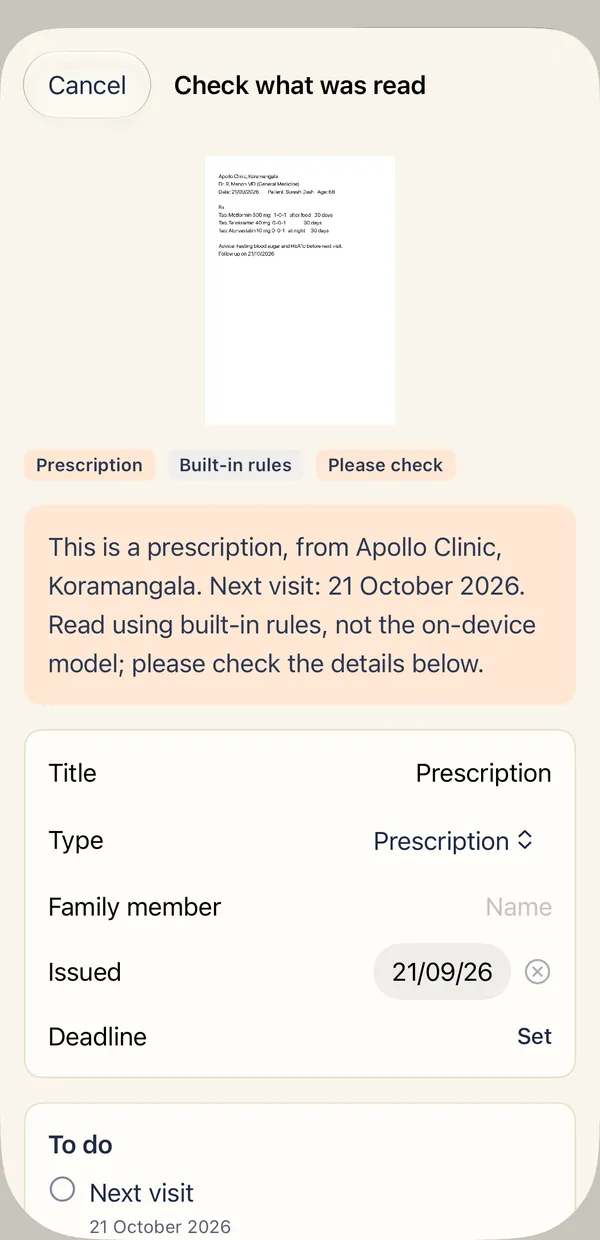
Photograph or import a paper and keep it where you can find it.
Reads printed papers
Dates, clinics, amounts, medicines and test values are pulled out for you to check. The original photo stays next to what was read.
Import lab PDFs
Use Import a PDF, or share a report PDF to Parchi from Files, Mail, Gmail or WhatsApp. On iPhone, a PDF saved from a lab's system is read from its own text, and a password-protected one asks for the password. On Android, a PDF is read like a scan, and a password-protected one has to be saved without its password first.
Search everything
Find a medicine, a clinic or a name across every paper you have kept.
Follow-up dates first
Papers with a date coming up are shown at the top, so a visit or a payment is not forgotten.
Share several papers at once
Pick any papers and make one PDF with a contents page, newest first, for a doctor visit or an insurance claim.
A summary for the doctor
One page of what matters, with the original scan attached if you want it, shared the way you choose.
Health
Medicines, home readings and lab results, for each person.
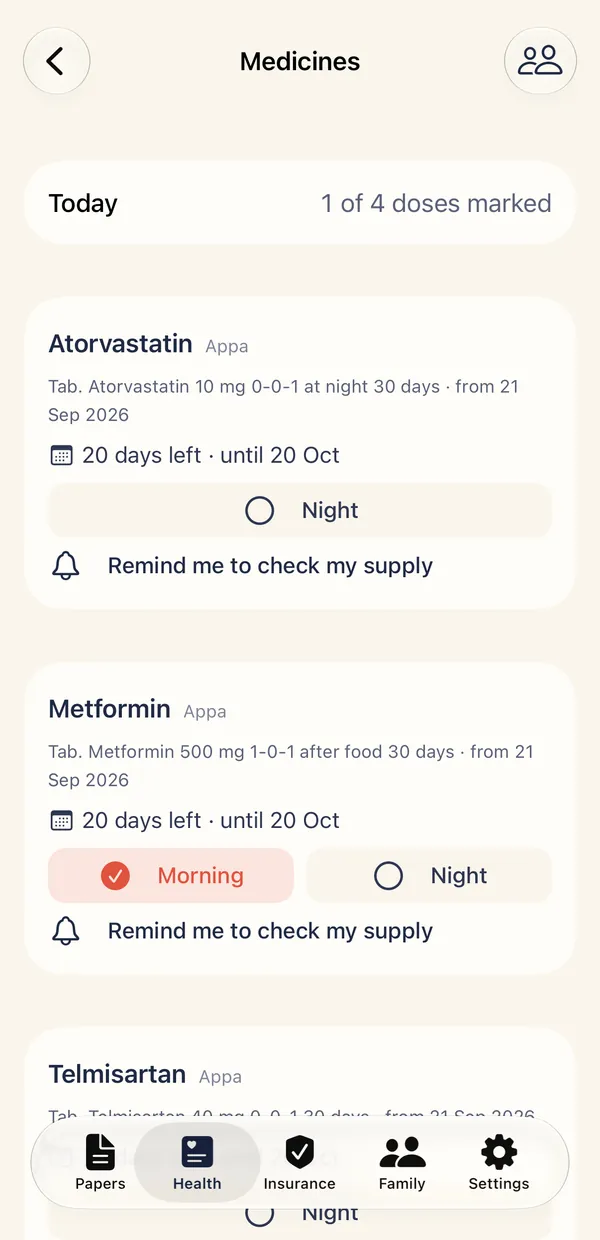
Medicines and refills
Tick each dose as it is taken and see how many days are left in each course, from the prescription. Get a reminder before a supply may run out.
Medicine reminders
Set times that suit the person, from the schedule on the paper. They are set on this phone only and are never locked behind a purchase. On Android, a reminder can arrive a little after its time.
Blood pressure, sugar, weight
Write down home readings for each person and see them as a simple chart. Parchi shows your numbers and averages. It never says whether a reading is good or bad.
Pulse check with the camera
Cover the back camera and flash with a fingertip for 30 seconds and Parchi gives an estimate of your pulse in beats per minute. It is an estimate, not a medical device, and the camera picture is never saved. Ask a doctor about your pulse.
Scan your home device
Point the camera at a blood pressure monitor, glucometer, scale or oximeter. Parchi reads the display and fills in the reading for you to check before saving.
Lab results over time
Scan a lab report each time and every test, like HbA1c or LDL, becomes a trend with the range printed on your report shown behind it.
Insurance
Every policy the family holds, sorted by type.
Health, life, travel and corporate
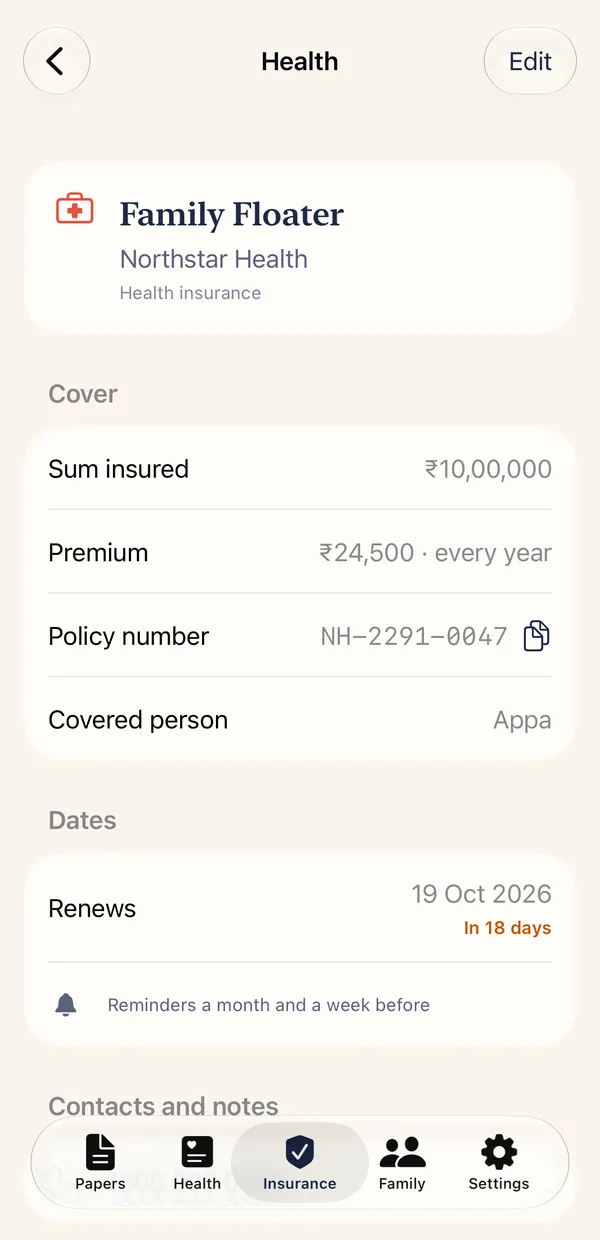
Keep each policy with its insurer, plan, policy number, sum insured, premium and who it covers. Accident and critical illness cover too.
Renewal reminders
Get a reminder a month and a week before a policy renews, so cover does not lapse.
Nominees and helplines
Life policies keep the nominee. Every policy can hold the claims helpline, one tap to call.
The policy papers, linked
Scan the policy document, the health card and the premium receipt, and link them to the policy.
Yearly premium at a glance
See what the family pays across all policies in a year, and which renewal is next.
Insurance claim pack
Pick the papers for a hospital stay and get one PDF with a checklist of what insurers usually ask for, what is missing, and the date to send it by.
Family
One page for each person.
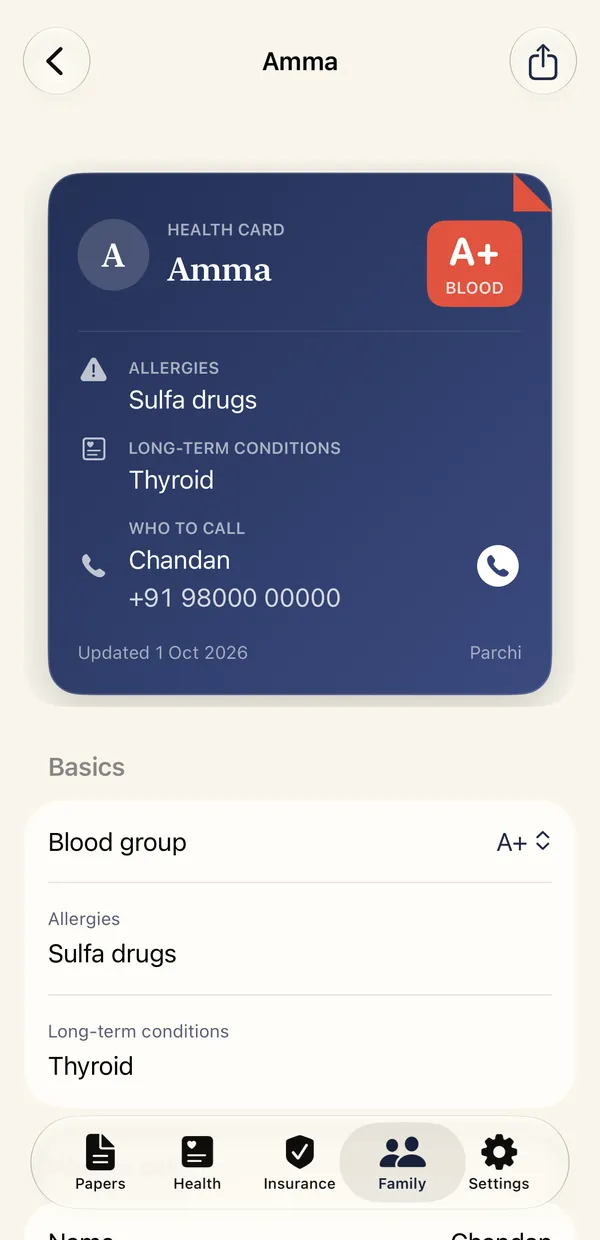
A health card for each person
Blood group, allergies, conditions and who to call, with the current medicines, as one page you can show a doctor.
Everything about one person
Their papers, policies, medicines now and latest readings in one place.
Add anyone
Add a parent, a child or yourself by name. People also appear as soon as you name them on a paper.
Widgets
Four widgets that show the day at a glance. They show only counts and dates unless you switch names on.
Doses today
How many of today's doses are marked, and which time of day is next. It only repeats what you marked in the app.
Needs attention
Papers with a date coming up, earliest first, overdue ones included.
Quick actions
Start a scan, a pulse check or a new reading in one tap. It shows no records.
Next renewal
The insurance policy that renews next, with its date and the days left.
Names are opt-in
A widget can be read without unlocking your phone, so by default it shows counts, kinds of paper and dates. Turn on Show names on widgets in Settings to add medicine names, paper titles and plan names. People's names are never shown. The app lock does not cover widgets.
Home screen and Lock Screen
On iPhone, widgets work on the Home Screen and the Lock Screen. On Android, they are home screen widgets.
Privacy and backup
Nothing is sent anywhere.
App lock
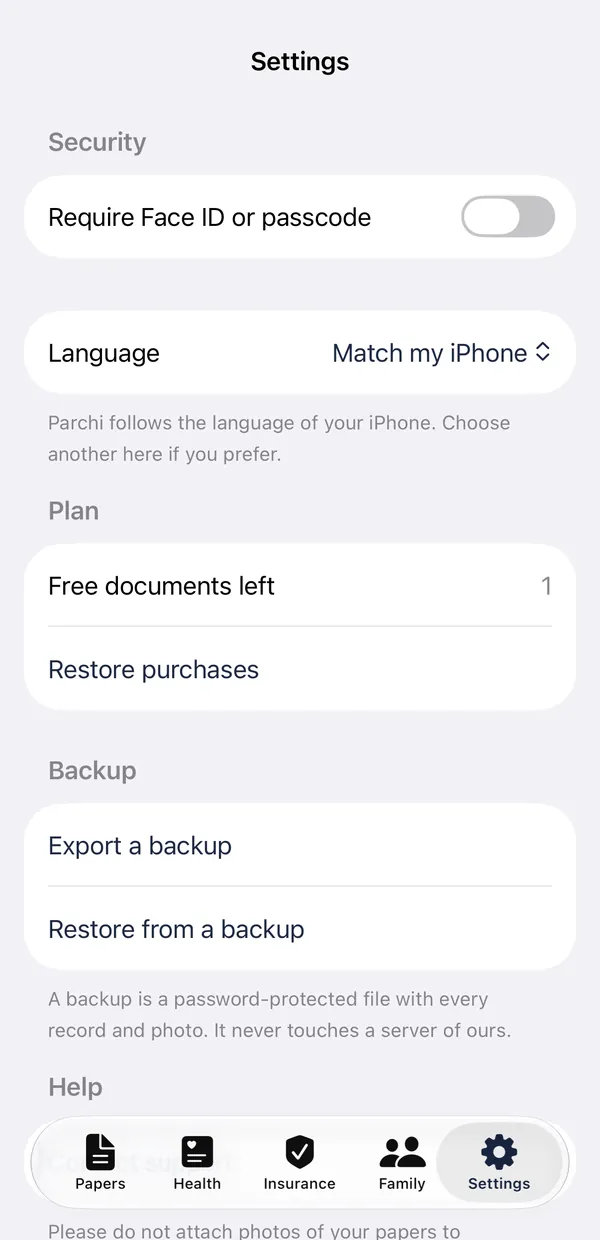
Papers are encrypted on the phone. The app can be locked with Face ID or your passcode on iPhone, or with your fingerprint, face or screen lock on Android.
Backup you control
Export everything, including policies and readings, to a file protected by your own password, and restore it on a new phone. iPhone can also use Apple's encrypted backup. Android does not back up or transfer Parchi's data by itself, so the export file is how you keep a copy or move to a new phone. Files cannot move between iPhone and Android yet.
No account
There is nothing to sign up for and no server holding a copy.
Parchi describes what a paper says and shows what you recorded. It does not diagnose, check interactions, suggest doses or say whether a reading is normal.